How to download 1688 videos and photos in original quality
Updated November 23, 2026
You can download 1688 product videos and photos in original quality in three ways: find the direct file link in DevTools, save images by right-click after fixing the URL, or grab everything as one ZIP with a browser extension. The first two are free but slow and often give you resized copies. Below are the exact steps for each, plus where they break.
What a 1688 product page actually contains
A typical 1688 listing has:
- 5-10 main photos in the top gallery;
- variant photos (colors, sizes) in the SKU block;
- a long description made of dozens of images with sizes, packaging and close-ups;
- one gallery video, sometimes a second video inside the description.
Most of these images are shown as previews. The image URL has a suffix after .jpg, such as _460x460q90.jpg or .jpg_.webp. That is a compressed, downscaled copy. If you plan to use the photos on Amazon, Shopee, Wildberries or your own store, previews look soft once they are scaled up.
Method 1. Video through DevTools
Good when you need one video and have a couple of minutes.
- Open the 1688 product page in Chrome or another Chromium browser.
- Press
F12(Cmd + Option + Ion Mac) and open the Network tab. - Pick the Media filter or type
mp4into the filter box. - Play the video in the product gallery. A request to an
.mp4file appears, usually fromcloud.video.taobao.comor a similar domain. - Right-click the request -> Open in new tab.
- In the new tab use the player menu -> Download, or press
Ctrl + S.
Where it fails:
- if the video does not start playing, no request shows up;
- sometimes the video is delivered in chunks, so you see several short requests instead of one file;
- you repeat everything for every product, and collecting photos this way takes far longer.
Method 2. Photos by right-click
- Right-click a gallery photo -> Open image in new tab.
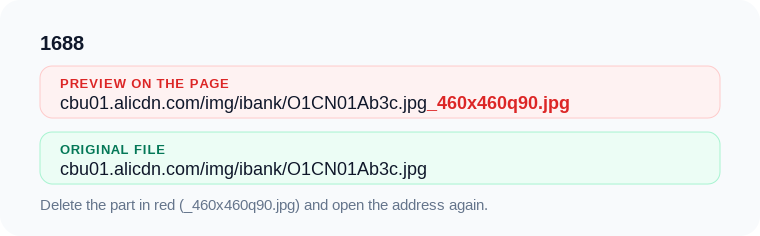
- In the address bar delete everything after
.jpg. For example,...abc123.jpg_460x460q90.jpgbecomes...abc123.jpg. - Press Enter. You now see the original file the seller uploaded.
- Save it with
Ctrl + S.
Where it fails:
- saving straight from the page without editing the URL gives you the preview, not the original;
- some images come as
.webp, which not every editor opens; - description images load only when you scroll, so they are easy to miss;
- for 30-40 images per product this takes 10-15 minutes and leaves you with messy file names.
Method 3. Everything in one ZIP, one click
If you resell products, you need the full set: all photos and the video, at original size, in a clear order. That is what AliExpress & 1688 Helper does.
- Install the extension from the Chrome Web Store. It works in Chrome, Edge, Opera, Brave and Yandex Browser.
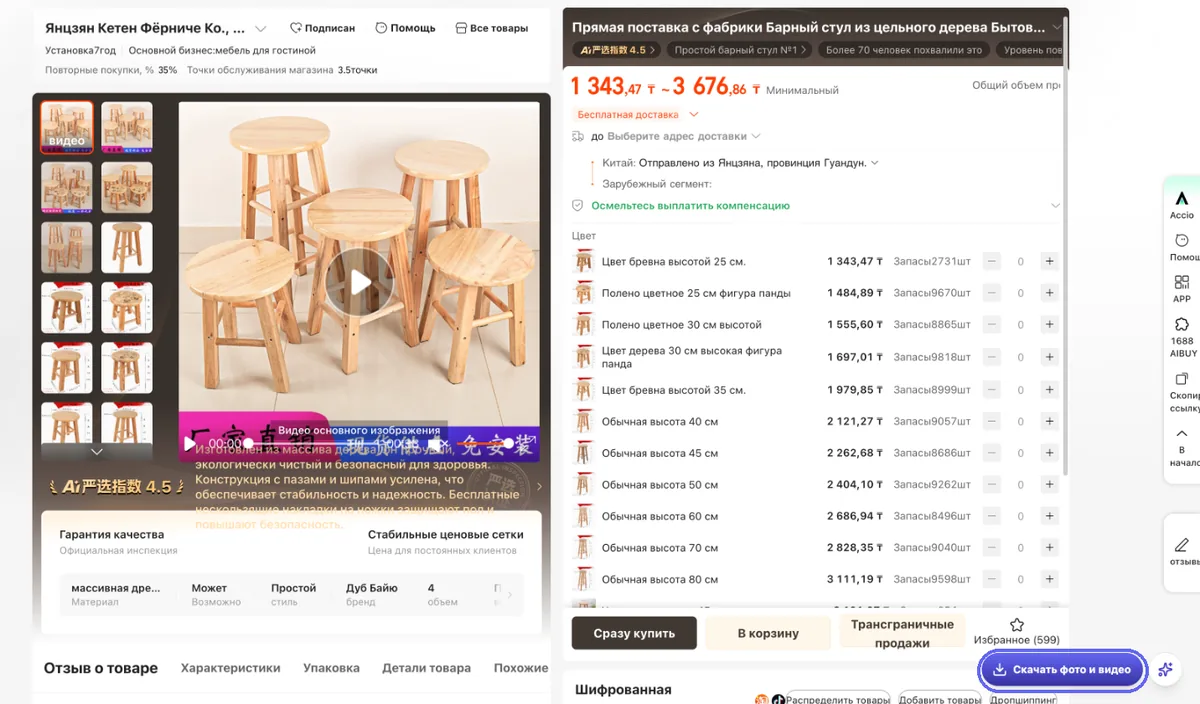
- Open a product page on 1688. A Download photos & video button appears in the bottom right corner.
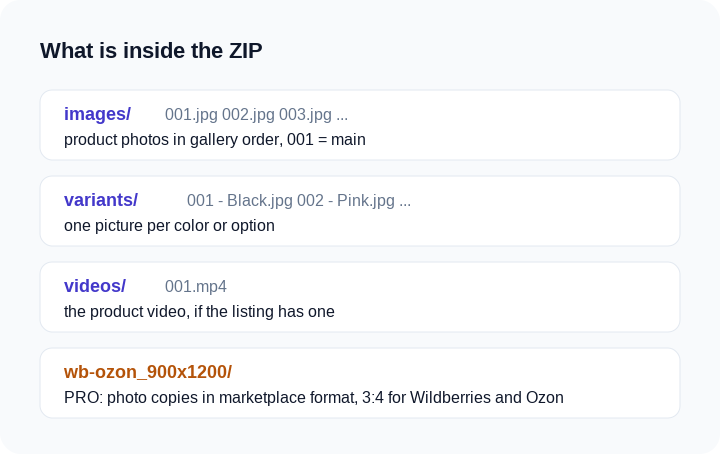
- Click it. You get a ZIP with every gallery photo at full size, the pictures of each color or option, and the product video.
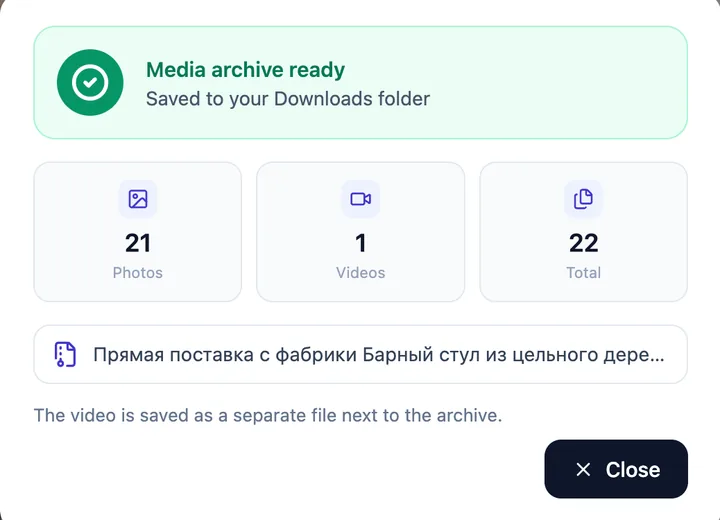
If 1688 serves the video in a way the archive cannot take, the extension saves it as a separate .mp4 file next to the ZIP and says so in the same dialog. Large videos on a slow connection can take a minute or more.
The same actions are in the extension panel, together with the demand check, AI review analysis and the AI listing generator:
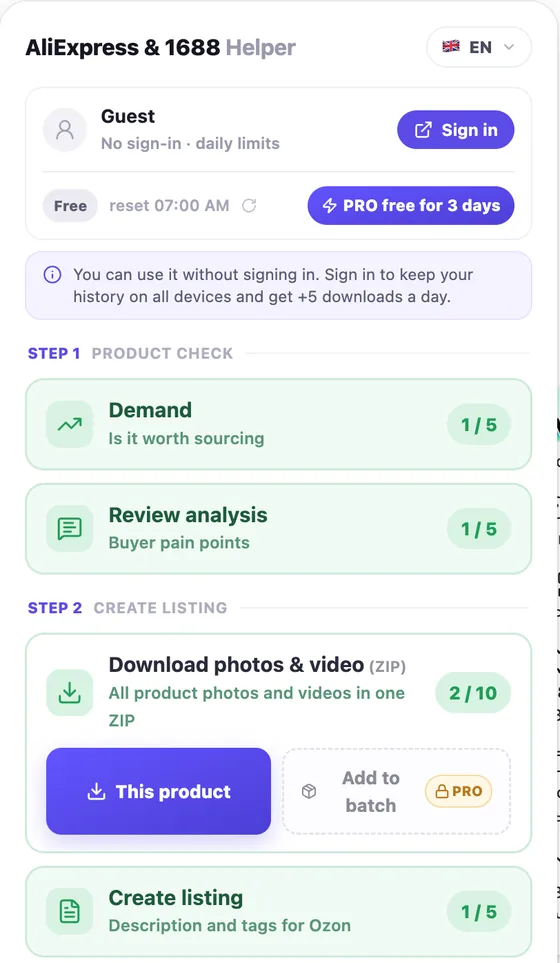
Limits and price. Free: 10 downloads a day, 15 with a free account. PRO ($4.99 per month) removes the limit, packs up to 50 products into one ZIP and adds copies of every photo in 3:4, 900x1200 on a white background for Wildberries and Ozon. With an account, PRO is free for 3 days, no card needed.
About watermarks
On 1688, “without watermark” means you get the file the seller uploaded, with nothing added by the site. If the seller put their own logo on the photo or burned it into the video, no download method removes it. Replace those images with your own shots or ask the supplier for clean source files.
Can you use the supplier’s photos and video
1688 photos and videos are made by the seller, and the rights belong to them. Many factories are fine with resellers using their media, especially when you buy stock from them. Still, ask the supplier in chat before you launch a listing and keep their reply. If the product is branded or the photos are clearly taken from someone else’s site, you risk a complaint and a blocked listing on the marketplace.
Quick checklist
- one video, one time - DevTools;
- two or three photos - right-click and edit the URL;
- full media set for a marketplace listing - the extension;
- before launch - confirm with the supplier that you may use their media.
FAQ
Why is the photo I saved from 1688 small and blurry?
You saved the preview. The image URL has a size suffix after `.jpg`, such as `_460x460q90.jpg`. Remove it, reload the address and save the original. The extension does this for every photo automatically.
Do I need a 1688 account to download the video?
For most listings, no. The gallery and video load without logging in. If 1688 shows a login window or a captcha, complete it yourself in the browser, and downloading works as usual after that.
Does the extension download the video from the description?
It downloads the product video from the gallery. If the seller embedded a separate clip in the description, you can find it in DevTools as described above.
Does it work on Taobao and Tmall?
The extension is built for 1688 and AliExpress (`aliexpress.ru`, .com and .us). For Taobao and Tmall use the manual DevTools method.
Can I get photos ready for Wildberries or Ozon right away?
Yes, PRO can export photos in 3:4 format. In the free version photos keep their original proportions, so you convert them to 3:4 in an editor by adding space above and below.