How to download Amazon product images in high resolution
Updated November 23, 2026
To download an Amazon product image in high resolution, open it in a new tab and remove the size code before the file extension, for example ._AC_SL1500_. The URL that remains points to the original file the seller uploaded, usually larger than what the page shows. To save every image of a listing at once, including variant images, use a browser extension. Product videos are a different story, explained below.
How Amazon serves product images
Every Amazon product image lives on m.media-amazon.com under an ID, followed by a size code:
https://m.media-amazon.com/images/I/71AbCdEfGhL._AC_SX679_.jpg- scaled to 679 pixels wide for the product page;https://m.media-amazon.com/images/I/71AbCdEfGhL._AC_SL1500_.jpg- scaled to fit 1500 pixels, the zoom version;https://m.media-amazon.com/images/I/71AbCdEfGhL._AC_US40_.jpg- the tiny thumbnail on the left.
The part between the two dots (._AC_SX679_) tells Amazon’s image server how to resize the file. The ID before it is the same for all sizes.
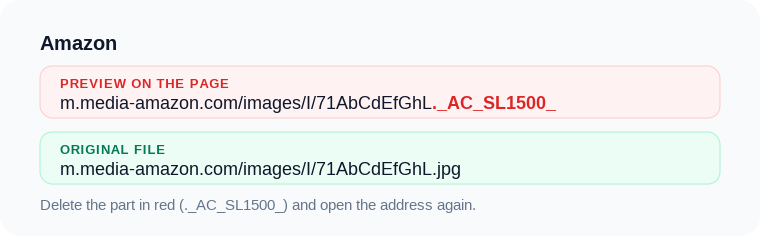
Method 1. Remove the size code
- Open the product page and click the main image to open the large viewer.
- Right-click the image -> Open image in new tab.
- In the URL delete the size code, including the dot in front of it.
.../71AbCdEfGhL._AC_SL1500_.jpgbecomes.../71AbCdEfGhL.jpg. - Press Enter. The original file opens. It is often 1500-2500 pixels on the long side, depending on what the seller uploaded.
- Save it with
Ctrl + S.
Repeat for every image. To get images of other colors or styles, select the variant on the page first. The gallery switches to that variant’s images.
Method 2. Find hiRes links in the page source
Amazon puts the image list for the listing into the page code. That is useful when the gallery is slow or you need all links at once.
- On the product page press
Ctrl + U(Cmd + Option + Uon Mac) to open the page source. - Press
Ctrl + Fand search forhiRes. - Next to each
"hiRes"you will see a URL, usually ending in._AC_SL1500_.jpg. These are the high-resolution versions of the gallery images. - Copy each URL, open it, and optionally remove the size code as in method 1.
Where it gets tedious:
- the source can contain images for every variant, mixed together;
- some entries have
"hiRes":null, then use the"large"URL next to it; - with 7-9 images per variant and several variants, you end up copying dozens of links by hand.
Method 3. All images in one click
Amazon Helper collects every product image from the open listing in the highest available resolution, plus the main image of every other color or style.
- Install it from the Chrome Web Store. It works in Chrome, Edge, Opera, Brave and Yandex Browser.
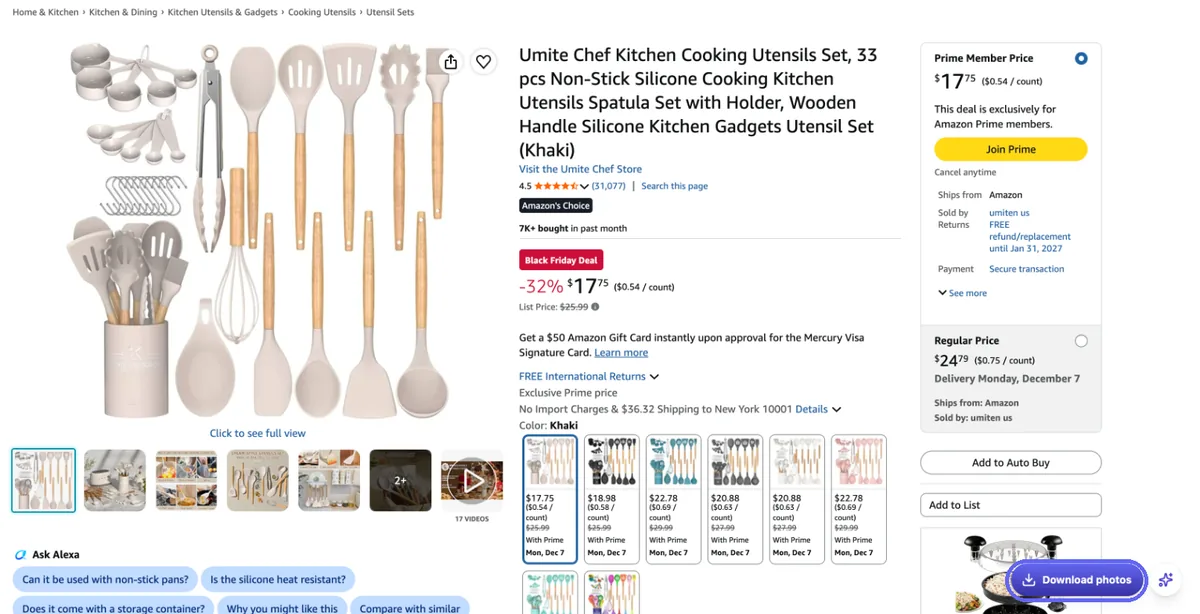
- Open an Amazon product page. A Download photos button appears in the bottom right corner.
- Click it. The ZIP is saved to your Downloads folder in a few seconds.
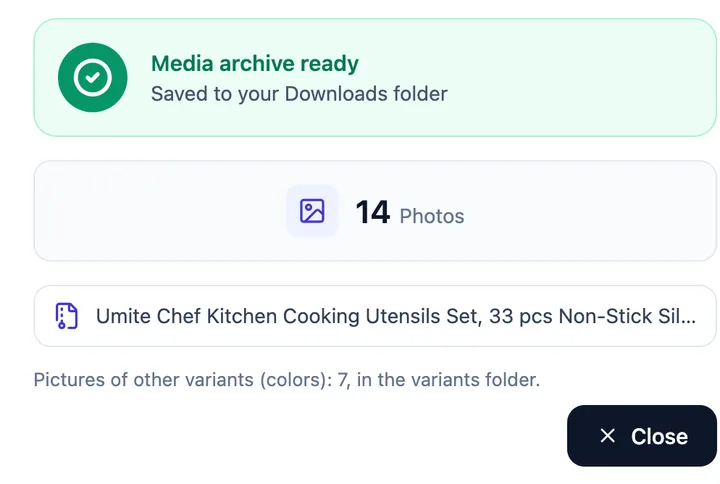
When the archive is ready, the extension shows how many photos it saved and how many variant pictures went into a separate folder:
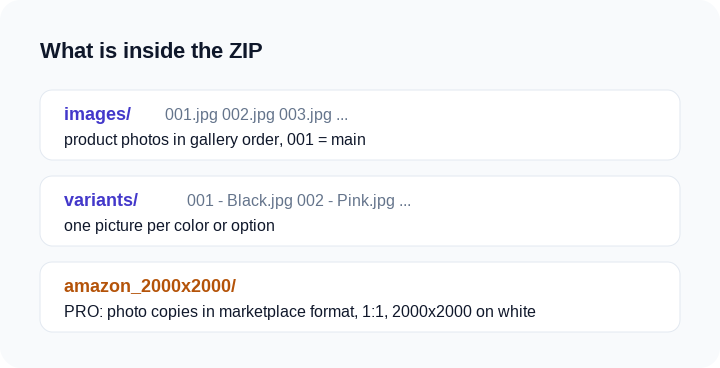
The same buttons live in the extension panel (the round icon next to the download button). There you also see how many free downloads are left today.
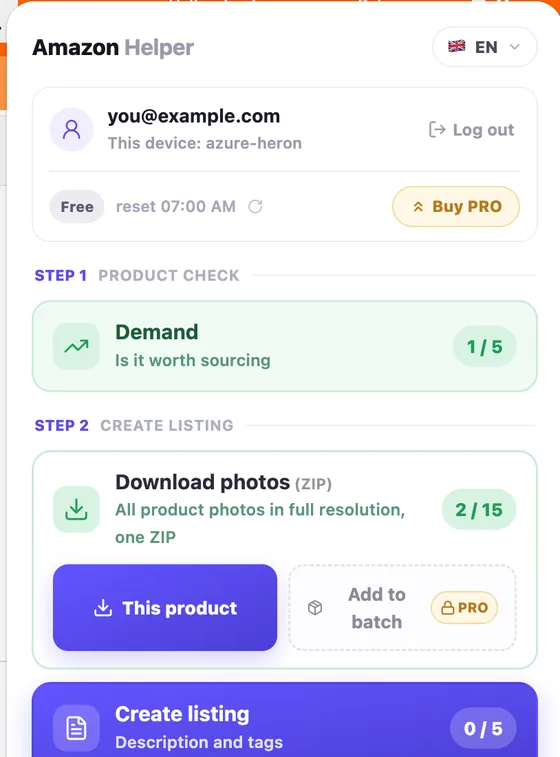
Limits and price. The free plan gives 10 downloads a day, and 15 if you sign in with a free account. PRO costs $4.99 per month: unlimited downloads, a batch mode that packs up to 50 products into one ZIP, and copies of every photo at 2000x2000 on a white background, ready for the zoom on an Amazon listing. With an account you can try PRO free for 3 days, no card needed.
The extension also shows demand based on the “N bought in past month” line and can write an Amazon listing optimized for search with AI. It does not analyze reviews: Amazon shows only a few hand-picked reviews on the page, and a verdict built on them would mislead you.
Why you cannot simply download Amazon product videos
Amazon does not serve product videos as one .mp4 file. They are HLS streams: the player loads a playlist (.m3u8) and then dozens of short segments one after another. In the DevTools Network tab you see many small requests, not a single video. Saving them by hand means downloading the playlist and merging segments with separate tools.
There is also a rights question. Videos on Amazon listings are usually made by the brand, the seller or influencers, and reusing them on your own listing without permission is a quick way to get a takedown. For these reasons Amazon Helper downloads images only, not videos. If you resell the same product, ask the brand or your supplier for the video file directly.
Using Amazon images responsibly
Product images on Amazon belong to the brand or the seller. Downloading them for research, supplier comparison or to show a supplier exactly which product you mean is common practice. Publishing them on your own listing is different: you need permission or your own photos. Amazon requires main images on a pure white background, and its brand protection tools catch copied images.
FAQ
What is the maximum resolution of Amazon product images?
It is the size of the file the seller uploaded. Removing the size code gives you that original. Many listings have 1500-2500 pixel images, some larger, some smaller.
Why does removing the size code sometimes give a smaller image?
For some older listings the original upload was small. Then the `._AC_SL1500_` version is the same file or only slightly different. In that case there is no larger version to get.
How do I download images for every color variant?
Amazon Helper puts the main image of every other color or style into the `variants` folder of the same ZIP, named after the color. For the full gallery of a specific variant, select it on the page and download again. By hand, select each variant and repeat method 1.
Can I download Amazon review photos?
Amazon Helper downloads product gallery images, not customer review photos. Review photos belong to the customers who posted them.
Does this work on all Amazon marketplaces?
The image URL format is the same on `amazon.com`, `amazon.co.uk`, `amazon.de` and other stores, so the manual method works everywhere. Check the extension page for the list of supported Amazon sites.